Play Store vs. APK Downloads: What Actually Keeps Your Phone Safe?
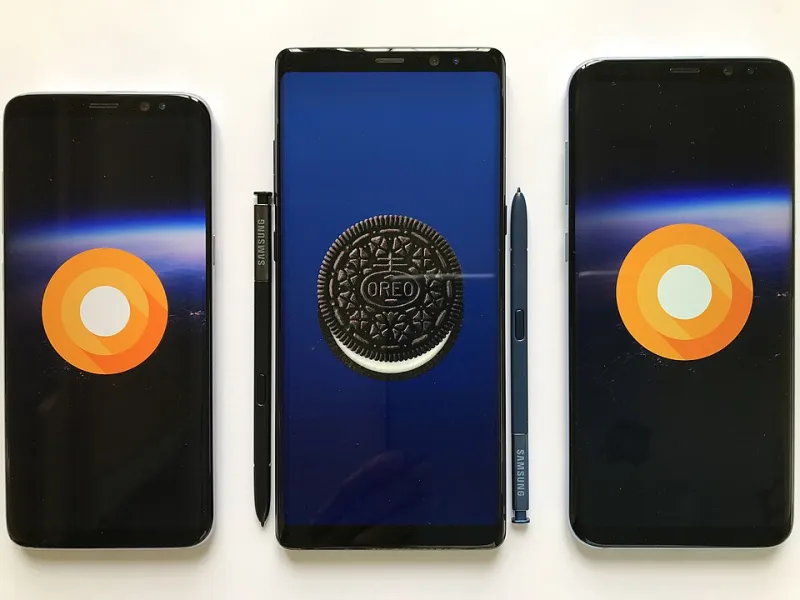
Photo: Pang Ka Kit, CC BY 2.5, via Wikimedia Commons
Most Android users treat the Play Store like a walled garden of safety and APK files like some kind of digital back alley. The truth? It's a lot more nuanced than that. Both methods carry legitimate use cases, both carry risks, and understanding the difference at a technical level is the best thing you can do for your device's security.
Let's get into it.
How the Play Store Vets Apps (And Where It Falls Short)
Google's Play Store isn't just a file host — it's an automated security pipeline. Every app submitted goes through Google Play Protect, which uses a combination of static analysis, dynamic sandboxing, and machine learning to flag potentially harmful behavior before an app ever hits the store shelf.
On top of that, Google checks code signatures. Every Android APK must be cryptographically signed by its developer using a private key. The Play Store verifies this signature and ties it to a developer account, which means if someone tampers with the APK after signing, the signature breaks and Android refuses to install it.
Sounds airtight, right? Not quite. Play Protect has a documented history of missing certain categories of malware — particularly ones that use delayed payload delivery, where the malicious code doesn't activate until days after install. A 2023 report from security firm Kaspersky found hundreds of apps with spyware capabilities slipping through Play Store review over a multi-month period. So while Google's gatekeeping is genuinely useful, it's not a guarantee.
What Makes an APK File More (or Less) Trustworthy
An APK — Android Package Kit — is just a ZIP-formatted file containing everything an app needs to run: compiled code, resources, a manifest, and that all-important cryptographic signature. When you download an APK from outside the Play Store, you're bypassing Google's scanning layer entirely.
That's not inherently bad. The signature is still there. Android still checks it on install. What's missing is the chain of trust — you need to know that the APK you downloaded is the same one the developer originally signed.
This is where source matters enormously. An APK pulled directly from a developer's official website or GitHub release page carries a very different risk profile than one grabbed from a random file-sharing site. Reputable APK repositories maintain their own verification processes — checking SHA-256 hashes, monitoring for repackaged versions, and pulling files that trigger antivirus flags.
When evaluating an APK source, look for:
- Published checksums (SHA-256 or MD5) you can verify yourself
- HTTPS delivery — no checksum matters if the file can be swapped in transit
- Version history transparency — legitimate repositories show changelogs and flag version mismatches
- Community reporting mechanisms — the ability for users to flag suspicious behavior
Code Signing: The Technical Backbone of Android App Security
Both Play Store and sideloaded APKs rely on the same underlying security mechanism: the APK signature scheme. Android has evolved through three signing schemes (v1, v2, and v3), each adding stronger protections against tampering.
Here's the key thing to understand: Android will refuse to update an app if the new version's signature doesn't match the installed version. This protects you from a scenario where a legitimate app gets replaced by a malicious one under the same package name. If you install a banking app from the Play Store and someone later tries to push a fake update via APK with a different certificate, Android blocks it.
The flip side? If you install an app via APK first, you're locked to that signing key for future updates too. This is worth keeping in mind if you're installing a Play Store app's APK version — updates from the Play Store may fail if the developer uses a different key for store distribution.
When Developers Legitimately Go Outside the Play Store
There are plenty of completely valid reasons an app might only exist as a direct APK download:
Geographic restrictions. Google Play availability varies by country and region. A developer in Southeast Asia might distribute primarily via APK because their target users don't have reliable Play Store access.
Policy conflicts. Apps involving cryptocurrency, certain adult content categories, or alternative payment systems often can't meet Play Store guidelines — not because they're malicious, but because Google's rules are strict and sometimes blunt.
Beta and development builds. Many developers distribute test versions via APK before a public Play Store release. Firebase App Distribution and similar tools use this model constantly.
Open-source software. Projects like F-Droid exist specifically to distribute open-source Android apps outside Google's ecosystem. F-Droid even builds apps from source code itself, which is arguably more transparent than the Play Store's black-box review process.
Practical Steps for Safer APK Installs
If you're going to install APKs — and there are good reasons to — here's how to do it without giving yourself a headache:
- Verify the source. Developer's official site or a reputable APK repository beats random download links every time.
- Check the hash. Download the file, compute the SHA-256 hash using a tool like HashDroid, and compare it against the developer's published checksum.
- Scan before installing. Upload the APK to VirusTotal before opening it. Sixty-plus antivirus engines will give you a much clearer picture than any single scanner.
- Review permissions manually. Use APK analyzer tools or check the app's manifest to see exactly what permissions it requests — before you install.
- Keep 'Unknown Sources' scoped. Android 8.0 and later lets you grant sideloading permission per-app rather than system-wide. Use that granularity.
The Bottom Line
The Play Store offers convenience and a useful (if imperfect) security layer. Direct APK downloads offer flexibility, access to apps outside Google's ecosystem, and sometimes more transparency — if you know where to look. Neither is categorically safer than the other.
What actually keeps your phone secure is your own judgment: knowing where a file comes from, verifying its integrity, and understanding what you're granting access to. The tools are there. Use them.