Sideloaded and Forgotten: The Real Cost of Managing APK Updates on Your Own
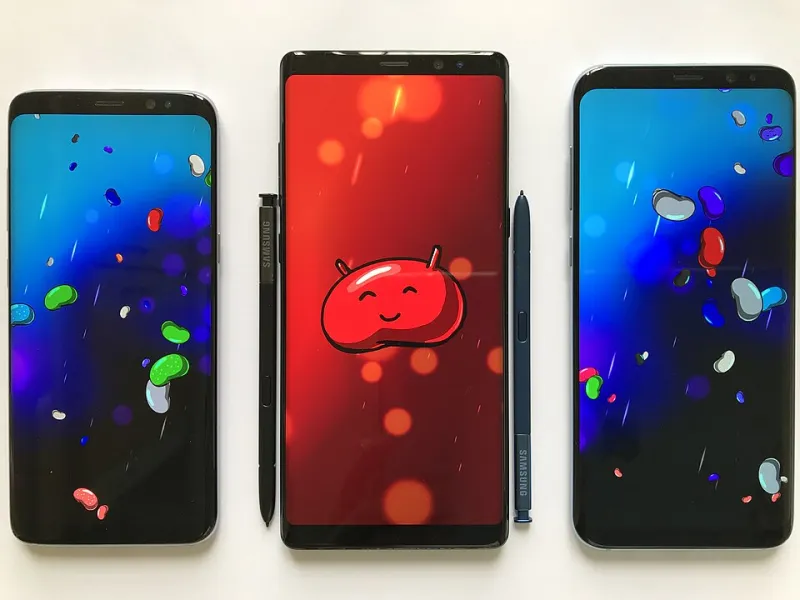
Photo: Pang Ka Kit, CC BY 2.5, via Wikimedia Commons
There's something satisfying about sideloading an app. You found something the Play Store doesn't carry, went through the steps to get it on your device, and now it works exactly the way you wanted. Victory.
But here's the thing nobody talks about enough: that app is now entirely your responsibility. No automatic updates. No security patch notifications. No easy rollback if something goes wrong. You're the IT department now — and most of us aren't checking in on our sideloaded apps nearly as often as we should be.
Why Outdated APKs Are a Bigger Deal Than You Think
Let's start with the security angle, because it's the one most people underestimate.
App developers push updates for all kinds of reasons — new features, bug fixes, performance improvements. But a significant chunk of updates exist specifically to patch vulnerabilities. When a security researcher discovers a flaw in an app, the developer usually fixes it quietly and ships an update. If you're using the Play Store, that update lands on your phone automatically (or at least prompts you). If you sideloaded the app, you get nothing. No alert, no prompt, no indication that anything changed.
That vulnerability just sits there, unpatched, on your device.
This isn't hypothetical. Messaging apps, file managers, VPN clients, and browser-adjacent tools have all had security patches pushed silently through Play Store updates. Users who sideloaded older versions and never updated were exposed for months — sometimes longer — without knowing it.
The Malware Substitution Problem
Here's a scenario worth thinking through: you sideloaded an app six months ago from a source that seemed totally fine at the time. Now you go back to that same source to grab an update. How confident are you that the file you're downloading is the same legitimate software you installed originally?
This is where sideloading gets genuinely risky. Malicious actors don't always create fake apps from scratch — sometimes they wait for a legitimate app to gain popularity, then upload modified versions to less-moderated repositories with the same name and icon. The update you think you're grabbing might have a payload the original never had.
Without the Play Store's (admittedly imperfect) vetting process, that layer of friction is gone. You're relying entirely on your own judgment and the integrity of whatever source you're using.
Compatibility Creep Is Real Too
Security aside, there's a slower-burning problem with stale sideloaded apps: Android itself keeps moving. New OS versions change how apps interact with the system, what permissions they can request, and how background processes are handled. An app that worked great on Android 12 might behave strangely on Android 14 — not because anything is wrong with your phone, but because the app was never updated to account for the changes.
You might see crashes, missing features, battery drain from inefficient background behavior, or just weird UI glitches. These aren't always obvious problems, which makes them easy to ignore until they become genuinely annoying.
So What's the Smart Move?
None of this means you should avoid sideloading entirely. There are plenty of legitimate reasons to install APKs outside the Play Store, and doing it safely is absolutely possible. The key is building a system that doesn't rely on you remembering to check everything manually.
Stick to Reputable Alternative App Stores for Non-Play Apps
If you're regularly installing apps outside Google Play, using a well-maintained alternative app store is dramatically safer than hunting down individual APKs. Platforms like F-Droid (focused on open-source apps) and the Amazon Appstore have their own update mechanisms, meaning apps installed through them can actually notify you of new versions. You get a lot of the convenience of the Play Store for apps that live outside it.
F-Droid in particular is worth a shout for privacy-conscious users — it only hosts open-source software, everything is auditable, and the update pipeline is transparent.
Use an APK Update Tracker
For apps that genuinely only exist as standalone APKs, there are tools designed to help you monitor version changes. Apps like APKUpdater can check your installed sideloaded apps against known repositories and alert you when newer versions are available. It's not foolproof, but it's much better than the "out of sight, out of mind" approach most people default to.
Just make sure the tracker itself comes from a trustworthy source — meta-irony alert: a sketchy APK update tool is exactly the kind of thing a bad actor would distribute.
Verify Every Update the Same Way You Verified the Original
When you do download an updated APK, treat it with the same scrutiny you (hopefully) applied to the original install. Run it through VirusTotal. Confirm the package name matches. Check that the permissions list hasn't suddenly expanded in weird ways. If an update is asking for access to your contacts or location and the app has no reason to need those things, that's a red flag worth taking seriously.
Set a Calendar Reminder
Low-tech but effective: once a month, spend five minutes checking on your sideloaded apps. Look up the current version on the developer's official site or GitHub. Compare it to what you have installed. If you're multiple versions behind and the developer has been active, it's time to update — through a verified source.
Knowing When to Cut Your Losses
Some apps just aren't worth the maintenance overhead. If a sideloaded app hasn't seen an update in over a year, if the developer has gone quiet, or if you're having trouble finding a clean, verifiable copy of the latest version — seriously consider whether a supported alternative exists.
For most app categories, there's a Play Store option that covers 80% of what you need. The 20% you're giving up might not be worth the ongoing security exposure, especially for anything that touches your personal data, financial accounts, or device settings.
The Takeaway
Sideloading isn't inherently dangerous, but it does shift responsibility squarely onto you. The apps you manually install don't have anyone watching their back except you — and if you're not actively managing updates, you're likely running software with known vulnerabilities on a phone full of personal information.
Build a simple system, use tools that help automate the checking process, and don't be afraid to retire an app that's become more of a liability than an asset. Your phone will thank you for it.